FYERS Steps for RISHABH AUTOMATION
Follow this 2 simple steps to unable API access for ALGO trading.
1. Implement Two-Factor Authentication and Obtain the Key
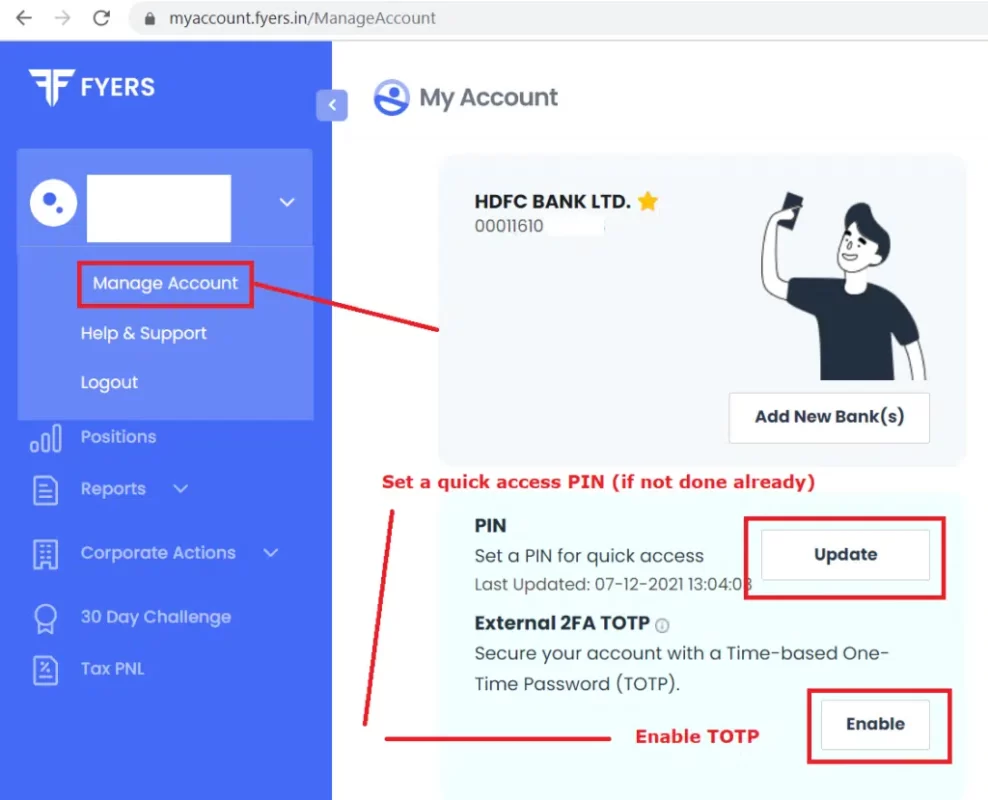
- Go to the "My Account" section and select 'Manage Account' located under your profile (refer to screenshot 1).
- Scroll down to find the 'External 2FA TOTP' option and proceed to 'Enable.'
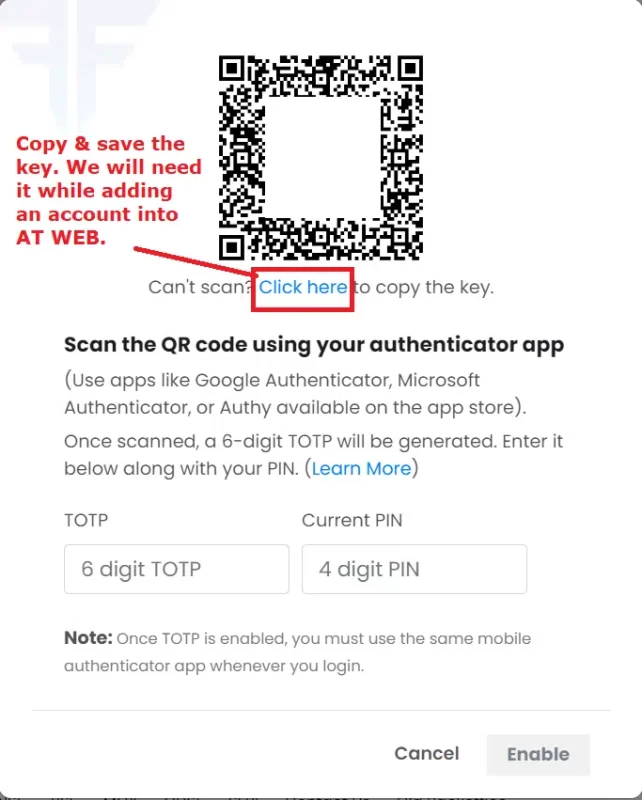
A QR code will be generated along with accompanying instructions.
- It is IMPORTANT to copy the QR code link by clicking on "Click here" to copy the key exists.
Click on this link to copy the key and securely store it, as it will be required later (refer to screenshot 2).
- Launch your chosen Authenticator App (e.g., Google Authenticator, Microsoft Authenticator) on your smartphone.
- Select 'Scan a QR code' within the 'Add an Account' section and grant access to the phone camera.
- Enter your 4-digit PIN and scan the QR code displayed in the 'My Account' section. A 6-digit TOTP will be generated, valid for 30 days.
- Click 'Enable' to complete the setup of your TOTP successfully.
- Note: Proceed to the next steps only after TOTP has been successfully enabled.
2. Establish a Quick Access PIN
- Perform this step if a PIN is not set already.
- Visit the 'My Account' section and select 'Manage Account' under your profile (refer to screenshot 1).
- Scroll down to locate the 'PIN' setup option (refer to screenshot 1).
Screenshot 1
Screenshot 2